Categeries

Showing posts with label Softwares. Show all posts

Tuesday, 21 June 2016

The Ultimate Guide To Make Your Own Facebook Like Social Network Website

The Ultimate Guide To Make Your Own Facebook Like Social Network Website

Jcow
Jcow is a social software written in PHP. It allows you to make a social networking website, helps your members build social relationships with people who share similar professional or personal interests. Auto detects user-agent and displays the appropriate layout. Supports the most popular video sites: Youtube and Vimeo. Auto getting thumbnails. Ability to share multi-parts videos. You can translate Jcow to whatever language you want. Users can give their stories multiple topics. Topics make your community stories more friendly to the users and search engine. Users can also subscribe their favorite topics and get the news feed. Your members can personalize the primerary menu bar to their own. They can arrange priorities of menu items by simply drag&drop, and get easier access to their favorite apps. Integrated online SPAM checker stop spammers from signing up. Integrated reCaptcha stop bots. Limit registrations per IP address. Jcow system is monitoring/limiting susceptible acts behind you. (Example: if someone is attempting sending too many posts, he will be stopped automatically.)
1. Download Jcow
  1. Download the required files from the link below.
  2. You’re done! 🙂
  3. Go to the next step.
2. How to get your free hosting account?
  1. Go to the hosting web from link provided below.
  2. Sign up for a free account.
  3. You’re Done ! 🙂
  4. Go to the next step.
3. How to get your domain name for free?
  1. Go to Free Domain Name link available below.(Disable any AdBlocker or the page will not load correctly)
  2. Check If your domain name is available .
  3. If it is, choose Domain Option for 1 or 2 years (You can renew your domain name subscription for free when it’s about to expire)
  4. Now click Checkout and follow the instructions.
  5. You’re Done ! 🙂
  6. Go to the next step.
4. How to get your Social Network website?
  1. Go to 3owl.com and log in.
  2. Click “New Website and choose “Hosting plan -> Free” and click “Select”.
  3. Choose “Domain” fill in the name of the domain you created, fill everything else and click “Create”.
  4. After finishing click on “My Websites” then “Switch”.
  5. Go to WEBSITE –> Auto Installer” scroll down to “Social Networking”and click on Jcow.
  6. Leave “Install To” blank and fill in “Administrator username” and “Administrator password”.
  7. Click on “Install Jcow 6.0” then on “OK” when the popup appears.
  8. After it finishes installing it will give you informations (with blue background) about your Social Network website. (Save them, you might need them for later use.)
  9. You’re Done ! 🙂
  10. Go to the next step.
5. How to upgrade your Social Network website?
  1. Now choose one of this steps “1 or 2 or 3 if you do all of them your domain will not function correctly.
  2. – Open this link go to “Registered Domains” Click on “Manage ->URL Forwarding” fill everything and edit“Target URL” to look like this http://www.YourWebsiteName.cu.cc now click on “Setup URL Forwarding”then “Go Back” and check if it says “Active”
  3. – Open this link go to “Registered Domains” Click on “Manage -> Nameserver” in another window open 3Owl“Account –> Details” copy/paste the name servers from 3Owl to “Nameserver” “e.g. ns1.3owl.com” click on“Update” then “Go Back” and check if it says “Active”.
  4. – Open this link go to “Registered Domains” Click on “Manage -> Zone Records” fill everything and click on“Create Zone Record” then “Go Back” and check if it says “Active”.
  5. Then go to cpanel.3owl.com and click on “My Websites” then “Switch”.
  6. Go to “FILES –> FTP Access”
  7. Download FileZilla or SmartFTP (Recommended FileZilla)
  8. Open for e.g. FileZilla click on “New Site” enter the name of your website.
  9. Now go back to 3Owl “FILES –> FTP Access” and copy “FTP IP” and paste it in FileZilla “Host” change “Logon Type” to “Normal” then copy/paste user name and your 3Owl account password and click “Connect”
  10. Open the folder you downloaded at step 1 and upload the following folders(including sub-folders)
  11. Upload “includes/”
  12. Upload “files/”
  13. Upload “modules/”
  14. Upload “js/”
  15. Upload “index.php”
  16. Upload “upgrade.php”
  17. Execute the following URL on your web browser (Replace YOUR_JCOW_URL with your own Jcow site URL): http://YOUR_JCOW_URL/upgrade.php
  18. If a green text appears it means the upgrade is done.
  19. Go back to FileZilla and delete “upgrade.php” file.
  20. Go to your website and check if it works.
  21. Sign in with your Admin. username and password and go to “admin CP –> Modules” , and click “Update modules”
  22. You’re Done ! 🙂
  23. Go to the next step.
6. How to change your websites theme? (Optional)
  1. Download any theme you want from the links below.
  2. Upload them to “themes” folder using for e.g. FileZilla.
  3. Refresh your Website and go to “admin CP –> Themes” and choose a theme and click on “Save Change”.
  4. You’re Done ! 🙂
  5. Go to the next step.
7. How to get your own logo for free?
  1. Go to the link provided below.
  2. Create your logo and click on “DOWNLOAD LOGO”
  3. Set width to 55 px and click on “OK” (By selecting “Use Work Area Color” you will get your logo with the gray background color which you don’t need it.)
  4. Choose where to download it, click on “Save” and rename it to “logo.png”
  5. Click on “DOWNLOAD LOGO” agin and set width to 16 px
  6. Click on “OK” then click on “Save” and rename it to “ico.gif”
  7. Copy this to using for e.g. FileZilla to “themes –> Your chosen theme folder ” and paste it there.
  8. You’re Done ! 🙂
Video
Coming Soon.
Notes
If you want your logo with high resolution then set width to 2000 px or above (Width + Height must not exceed 8100 px)
If you get “User has exceeded the ‘max_questions’ resource (current value: 1000).” then you have to wait one hour ’till your website works again. (It’s MySQL Connection Hourly Limit by 3Owl, unless you upgrade to premium hosting service you will have to wait 1 hour each time this message appears.)
If better hosting website is found please share it with us in the comments.
Read the instructions very carefully, if you encounter any problems you can always comment and I will help.
Links
Jcow 8.2.2 Pro (Make Social Network website)
3Owl (Host your website for free with no ads)
Free Domain Name (Up to 100 Domains for free user)
Online Logo Maker (Make logo online for free)

Incomedia Website X5 Evolution 12 Keygen is Here!

Incomedia Website X5 Evolution 12 Keygen is Here!


Website X5 Evolution 12
It is the Perfect Solution for Creating Websites, Blogs and Online Stores. Optimized for search engines and fully functional on tablets and smartphones. In addition, it is complete with an app for mobile devices!
Designed for those who need to create professional websites, it maintains the structure of a guided tour, but has loads of extra tools and advanced features. The result is an amazing combination of simplicity and power.
Features
  • The program does not require knowledge of programming
  • Easy to use
  • Create your site in five steps
  • More than 1000 ready-made templates
  • Creating your own templates
  • Creating forms for sending e-mails from the site
  • Creation of RSS-feeds
  • Creating a diverse menu of the website (static, dynamic, drop, etc.)
  • Built-in image editor for quick editing graphics on your web page
  • Tool color dropper
  • Develop a web page using the function “Drag and Drop”
  • Create photo gallery
  • On demand, you can edit the HTML code of web pages
  • Ability to create online shops
  • Publish site on the Internet with the built-in FTP-engine
  • Grouping of the project to your website
  • Compatible with XHTML and CSS standards
  • Pleasant, comfortable and simple user interface
Unique Features
  • Editor to customize templates
  • More than 1,500 professionally designed templates
  • Graphics editor
  • 6000 exclusive images for free use
  • Automatically create a site map and menus
  • Libraries of buttons and graphics
  • FTP-program to host the site on the Internet
  • Widgets and HTML-code
How to Activate?
  1. Install Incomedia WebSite X5 Evolution 12
  2. After Installation, block “WebSiteX5.exe” with Firewall (Inbound and Outbound)
  3. Run the Keygen, Enter your Email & click on Generate
  4. Run “imRegister.exe” from Installation folder
  5. Enter your email & license key from Keygen & click on Next
  6. Now, block “imRegister.exe” with Firewall (Inbound and Outbound)
  7. Now in the activation window, click on Back & then on Next button
  8. Press Ctrl on your Keyboard & click on Next
  9. Paste Unlock Code from Keygen & click on Next
  10. That’s all 🙂
Screenshots

Downloads
Incomedia WebSite X5 Evolution 12 Setup + Keygen (321 MB) / Mirror
Keygen Only (1.11 MB) / Mirror

Truecaller – Caller ID & Block v7.34 Premium Cracked

Truecaller – Caller ID & Block v7.34 Premium Cracked

DOWNLOAD NOWFor Android

Truecaller – Caller ID & Block
Truecaller lets you search beyond your phonebook, identify unknown incoming calls, block calls you don’t want to receive, and make relevant contact suggestions based on time and place – so you never have to leave the service to find the right contact.
Features
  • See who is calling if you don’t have their number in your phonebook
  • Block unwanted calls from spam callers and telemarketers
  • Search for any number in the world to see who it belongs to
  • You can now copy a number anywhere (e.g. website or apps) and Truecaller will notify you who it belongs to
  • Get in touch with people via name search (Premium feature)
  • Tweet and Follow a person on Twitter directly from Truecaller
  • Yelp! integration for faster business search results
  • + more features to make your phone smarter
What’s New
  • Fixed 0 contact request left problem which was asking for premium update
  • Dumping dark variant
  • Now you can make calls directly from Truecaller.
  • Plus no more unknown numbers in your call history and Availability to see when your friends are free to talk.
  • Truecaller gets better with every update and this version has a ton of new features and a shiny new design!
How To Install ?
  1. Uninstall any “True” Company Product like Truecaller, Truedialer, etc
  2. Download and Install Cracked APK From The Links Given Below
  3. Login or Sign up
  4. Done, Enjoy
Mod Info (By OsmDroid)
  • Premium is activated by default.
  • As it is premium, it gives additional features such as blocked ads,search people by names, see who viewed your profile
Screenshots (Dark Version)


Downloads
Truecaller – Caller ID & Block Premium Cracked APK (10 MB) / Mirror

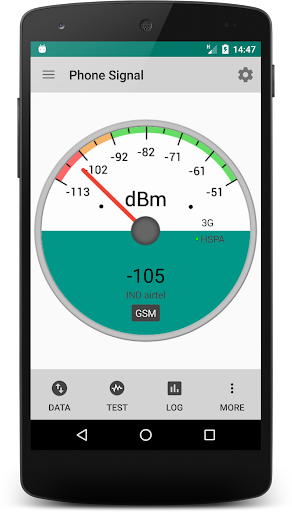
Network Signal Strength Premium 8.3.2

Network Signal Strength Premium 8.3.2

DOWNLOAD NOWFor Android

Network Signal Strength Premium
Are you living or working in a low signal area ? Then this is the app for you. With this app you can get a good idea of the mobile signal strength and find out which corners of your office or home are having the best reception. You can also carry out download speed test with the site of your choice.
What this app gives you:
General User
• Signal meter
• Speed test
• Phone check
• Signal widgets
Advanced User
• Dual SIM info for Android Lollipop 5.1 onwards
• Signal Logger
• Detailed Network info
• Neighboring cell towers info
• Airplane or Restart Mobile Connection only without disturbing WiFi, NFC etc (Not available for >= Android 4.2)
• Network Latency Widget or Delay of data connection
• Out of service and roaming notifications.
Pro Features(Inapp Purchase):
• AdFree
IMPORTANT
• A very few phones/ROMs are not supporting signal strength refresh. If the Network Type and the Carrier are updating correctly but the signal strength is not updating then this is a sure sign of a broken ROM. This is a known issue and not a problem with the App.
• Dual SIM info has been introduced from Android Lollipop 5.1 onwards and Advanced Cell Mode was introduced in Android Jellybean 4.2 onwards. There are still a lot of bugs in manufacturer implementations. Consider sending a debug report from the debug icon to incorporate workarounds.
• If you cant find the widget in the list of widgets after installation change the orientation of device with the list of widgets opened. This will cause the list of widgets to get refreshed. Also do not move app to SD Card. As a last resort clear cache and force stop google app from android settings.
• Check the extensive FAQs on my website.
What’s New
This Update
• Widget Colors
• Bug fixes and minor UI mods
Recent Changes
• Speed test
• Rectangular Widget (New)
• Double tap Widgets to directly open app
• For Android Lollipop 5.1 and higher – Dual SIM info on Meter
Note:-
• Dual SIM – There are lot of manufacturer differences in devices and users may consider sending debug reports from debug icon to further improve Dual SIM info.
How to Install?
  1. Download Apk (link below).
  2. On your Android device, go to settings > security > allow unknown sources.
  3. Find downloaded APK on your phone and install it.
  4. All Done. Enjoy!
Screenshots
UOhPdbuT7s_PWQuAVwuBUgrGvPZO1Aqg7rTu3cgv
Download Links
Network Signal Strength Premium | Mirror 1 | Mirror 2

Wednesday, 15 June 2016

Aurora 3D Text And Logo Maker 16.01.07 Multilanguage

Aurora 3D Text And Logo Maker 16.01.07 Multilanguage


Aurora 3D Text and Logo Maker
Aurora 3D Text & Logo Maker will allow even the technically inexperienced to quickly and effortlessly compose and arrange strikingly beautiful and impressive 3D Graphics, high quality text and logos. Do you have pressing needs to finish your design project quickly and easily? Then don’t look any further! With the hundreds of templates built in within Aurora3D Software, you’ll be able to take advantage of a myriad of eye-catching effects like reflections and deformation textures. Or if you prefer, you could import your own images and modify and adapt them to meet your unique design needs! Create 3D text effect and logo animation in minutes for the website and your movies! You don’t even need to be proficient over the layout or 3D Design basics!
Features
Internal Animation Style
  • Every object can have many types of animations, such as rotate, swing, beat, wave, fade, typewriter, pulse.
3D Manipulator
  • Drag the button at the right-bottom of an object, and you can extrude the text or shape.
  • You can control the object position, rotate and scale at X/Y/Z.
3D Graphic Templates
  • Get a lot of 3D Text and logo templates. Make you own 3D Text and Logo in minutes. Don’t need the basic of 3D Design.
Free-Hand Shape
  • Create your shape easily. Use the freehand shape tool, to edit your shape. You can import an .SVG file to the canvas and edit the nodes of the shape.
Quick Styles
  • You can change an object’s appearance quickly, just select the object and click the styles color button. You can get your results quickly.
SVG & Picture Import
  • You can import a 2D shape such as an .SVG file, and you can also import the SVG file to the freehand canvas and edit it.
  • You can import picture to the software and change to 3D Effect.
3D Graphic Mode
  • Changing the graphic mode can quickly change the style of your design. You have Borders, Board, Buttons, 2D and 3D Text.
Shape Switch
  • Change an object’s shape. Just select the shape and select another shape on the panel. You can edit the shape detail by editing the properties.
Graphic Library
  • Add a shape from the SVG shape library, text shape library, or from the toolbox. There are as many as four thousand shapes in the library.
Text Edit
  • Full control of the text. Every text can use a different format and colors.
Color and Texture
  • Select different parts of an object and change the color.
  • Supports dynamic texture, let the texture move, rotate and scale automatically on the object.
Bevel Effects
  • Change the bevel effect for shape and text separately.
Distort Effects
  • Shape and text can have many types of distortions, such as sector, curve, arch, heave, sunken, wave.
Dynamic Background
  • Supports dynamic background, let the background move, rotate and scale automatically.
Light Control
  • Full control of light settings.
Set Render Size
  • You can set the size of preview and export.
Export Image
  • Export designs as PNG, JPG, Tiff, BMP, GIF, TGA files, which can be imported and edited in other illustration applications.
Export Animation
  • Export Animation to Movie, GIF animation or Image Sequence as you like.Which can be imported and edited in other video edit applications.
How to Activate ?
  1. Install using given setup i.e. “Maker3D.exe”. (when you install the User Name and Organization leave unchanged).
  2. Dont’t launch/run it.
  3. Copy the given crack and paste it to the default installation directory. For example: “C:\Program Files (x86)\Aurora3D\Maker3D”
  4. Now run the program.
  5. Click on “help” tab from the menu then “Registry” and now fill the information which is given in the text file i.e. “Serial Key for Aurora 3D Text & Logo Maker 16.01.07.txt”.
  6. You have successfully activated “Aurora 3D Text & Logo Maker 16.01.07”.
  7. Enjoy 🙂 🙂
Screenshots:


Downloads:
Aurora 3D Text & Logo Maker 16.01.07 multilanguage trial setup (42 MB) / Mirror
Crack (3.7 MB) / Mirror
Serial Key (2 KB) / Mirror

Logo Maker Pro 1.0 Apk

Logo Maker Pro 1.0 Apk 


Logo Maker Pro
Make your logo quickly and easily. Design your logo with several logo designs.
How to Install?
  1. Download Apk (link below).
  2. On your Android device, go to settings > security > allow unknown sources.
  3. Find downloaded APK on your phone and install it.
  4. All Done. Enjoy!
Screenshots

Download Links
Logo Maker PRO | Mirror

Sunday, 12 June 2016

bypass pattern lock

Pattern locks in android devices help it’s users to protect their privacy by using a pattern lock for their android phone or tablet. But there are chances to forgot your pattern lock or too many fake lock attempt; this will lock your device and your device will not be unlocked even if you enter the right pattern lock. Here is the solution for you this will help you to unlock device.
How to unlock Pattern Lock in any android deviceWhat to Do If There Were Too Many Pattern Attempts at Login
You can just wait until the timer counts down, and try your pattern again.
If the wrong pattern has been entered too many times, your Android phone will lock. You’ll see an on screen message indicating that you have entered the wrong lock code too many times. When this happens, there are two things you can do.
You can simply wait for the timer, and try the unlock pattern again.
A timer should show on your device indicating the amount of time until you can attempt to enter a new pattern unlock code. This is particularly helpful if a child or friend has attempted to unlock your device too many times.
To immediately access your device when it has been locked due to the wrong pattern being entered too many times, you can access it with your Google Account.

  1. Enter the Google account and password associated with your phone or device.
  2. Once you enter the correct account details, the lock code will reset, then you will be able to access your phone or device.

when all methods fails then try this

Remember that by doing this method of unlocking you will be lost your data and applications that you have stored in your device’s internal storage space. Do at your own risk.

Step 1

Download GSMforum Android Multi Tools to your PC and install on your computer.

Download Here

Step 2

Download USB Driver of your android device. You may find USB Driver for your device by searching USB Driver for “DEVICE NAME”. For example I have my Galaxy S2 and I will search like this “USB Driver for Samsung Galaxy S2”. Step 3 After you download USB driver, then install it on your PC. You May Also >> How to increase Ram and internal memory in any android device? Step 4 Now Boot your android device into fastboot by pressing and holding Volume down + Home + Power Button simulantly. And connect device into computer by USB Cable. Step 5 Now open Android Multi Tools and  enter 8, this will delete user data.
multitool
Step 6 Enjoy, You have done successfully

WWE V3.8.0 + Premium user Cracked Apk

WWE V3.8.0 + Premium user Cracked Apk


WWE 
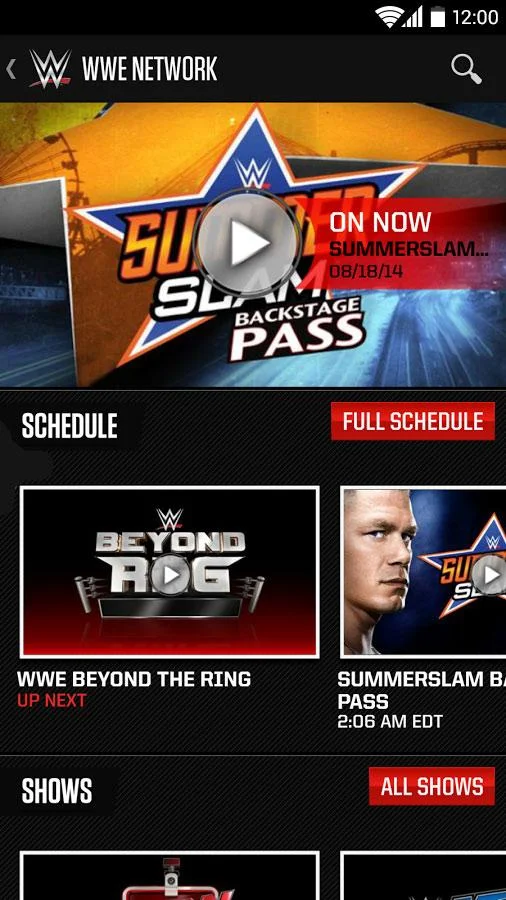
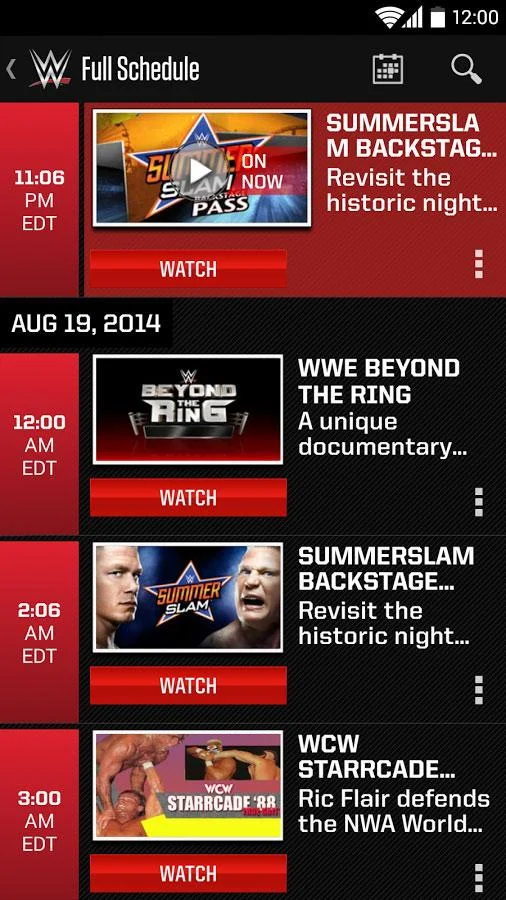
Take WWE with you wherever you go – any time, day or night – with the official WWE app for your Android device.Now, in addition to the latest WWE videos, news and thousands of photos, you can use the WWE App as your exclusive portal to WWE Network – a 24/7 streaming service with both scheduled programming and a massive, on-demand library.Only on WWE Network, you’ll see all 12 WWE live pay-per-view events, including WrestleMania, groundbreaking original series, reality shows and documentaries. You’ll also be able to explore sports-entertainment’s most comprehensive video-on-demand library, featuring every WWE, WCW and ECW pay-per-view ever – uncut and uncensored – plus, classic matches and replays of Raw and SmackDown episodes from 2012 and 2013.When you watch WWE Network shows on another screen, and Monday Night Raw or Friday Night SmackDown on television, you’ll have exclusive access to WWE’s second screen companion experience. Only with the WWE App, you’ll discover content designed for and synchronized to WWE’s programs.Join your fellow WWE Universe members at the next WWE Live Event near you – for which you can find complete details within the WWE App. Explore our full schedule of events around the globe, find out which Superstars will be in action, set reminders and order your tickets for the experience of a lifetime.The WWE App provides instant access to your favorite WWE Superstars, Divas and Legends. View Superstar profiles for a quick look at extensive career milestones, biographies, video highlights and Twitter feeds.If you want to outfit yourself like your favorite Superstar, enjoy the brand-new WWE Shop experience right from your device, where official WWE Shop merchandise is available at the swipe of your fingertip.The WWE App is your key to unlocking a revolution!
Supported Android
  • Supported Android Version
  • Ice Cream Sandwich (4.0.3–4.0.4)
  • – Jelly Bean(4.1–4.3.1)-
  • KitKat (4.4–4.4.4)
  • Lollipop (5.0–5.0.2) or UP
WHAT’S NEW
  • Version 3.8.0
  • Added “Watch from Beginning” feature when playing the live stream from the WWE Network home screen
  • Miscellaneous Features and Enhancements
    Version 3.7.0
  •  Improved WWE Network Search results
  •  Miscellaneous Fixes and Enhancements
    Version 3.6.1
  •  Performance Improvements.
How to Install ?
  1. Download and Install
  2. APK From The Links Given Below
  3. Done, Enjoy.
Screenshots

Downloads
WWE V3.8.0 + Premium user Cracked (22.5 MB) / Mirror / Mirror

SB Game Hacker APK

SB Game Hacker APK

DOWNLOAD NOWFor Android

unnamed (1)

SB Game Hacker
The easiest and most powerful Game Modifier.SBgameHacker is the MOST EASY TO USE Android game modifying app. It is small, fast, green, free, no ads. This app modifies the game by modifying the memory data of the running game, money, blood, score, props, and the number of parameter values​​. Simple and practical.It Will Help You Get Unlimited Ammo,Live,Gold,Money etc.
FEATURES
  • The accurately Search: search the value of the games you can see, practical vast majority of cases;
  • Fuzzy search: do not enter a specific value (blank), according to data variation (larger smaller unchanged) data screening;
  • Floating-point (decimal): Game data is not an integer, you can not directly search data, belonging to a fuzzy search;
  • Data filtering: to determine the size of the data range, and improve efficiency.
HOW TO INSTALL APK ?
  1. Download and Extract “SB Game Hacker.apk”From below.
  2. Install “SB Game Hacker.apk”
  3. You are Done.
  4. Start Changing Values!!!!
SCREENSHOT


NOTE : IT REQUIRES ROOT
DOWNLOADS
SB Game Hacker.apk (971 KB) / Mirror

Game Killer v4.10 Apk

Game Killer v4.10 Apk

DOWNLOAD NOWFor Android
gamekiller
GameKiller v4.10 Apk
GameKiller is an Android application which will help you to hack Offline android games coins, score, money, gems, etc… It is one of the best applications out there to do such a thing.
Features of GameKiller v4.10 Apk
  • Search game worth with exact number
  • Search game value with unclear directions, e.g. bigger or smaller
  • Lock the video game value to a repaired number
  • Save/Load the taken care of list
  • Touch GameKiller sprite to bring up the device during gaming
  • HEX edit
  • Unload code
  • Bugs Fixed
  • Much more
Whats New in v4.10
  • Android4.4 and above versions of the ROM portion of the suspension is no longer necessary to manually open the window;
  • Eight keeper device is activated, if the originally selected application does not quit, do not switch to a new application;
  • Click on the application icon and name on the main interface, you can select the application.
Notes:
  • GameKiller will not work for online Games like Teen Patti and Hayday.
  • For using GameKiller you will need a Rooted android device.
  • If anything goes wrong mention us in the comments.
How to Install ?
  1. Download GameKiller Apk from the Links below.
  2. In settings allow downloading from unknown sources.
  3. Install it and run it.
  4. Done!Enjoy 🙂
How to Use ?
  • Open GameKiller then minimize it.
  • Open the game where you want to have unlimited money, gems,…
  • Look how much coins you have, open game killer and write the value you have seen, press the search button and AUTO IDENTIFY, now Game Killer will find many results,so you have to spend or play the game so that the coins change, then search the new value in Game Killer so that it find less results. Keep trying until it finds few or one result.
  • Now that you have the results click the results and change all the values and hit ok.
  • That’s all. 😉
Screenshot Download Links
GameKiller v4.10 Apk (1MB) | Mirrors

DAEMON Tools Pro 7.0.0.0555 Multi Activator(x32/x64)

DAEMON Tools Pro 7.0.0.0555 Multi Activator(x32/x64) 


DAEMON Tools Pro 7
Full Fledged mounting
  • Mount all popular types of images from application or Explorer
  • Grab images from physical discs with advanced parameters
  • Create both Dynamic and Fixed virtual hard disks
  • Store sensitive data in TrueCrypt containers
Professional Emulation
  • Emulate up to 32 DT, HDD and SCSI virtual drives
  • Use up to 4 IDE virtual devices for protected images
  • Mount with double-click or customize the emulation process manually
  • Attach virtual drives to physical ones and set advanced emulation options
Advanced Imaging Tools
  • Create new and edit existing Audio CD and Data images
  • Convert, compress and protect image files with password
  • Burn data with RMPS, make Audio CDs and copy discs
  • Store all your favorite image files in handy Images catalog
Classic Interface
  • Work with improved but native system interface
  • Get access to the functionality from application, tray agent and gadget
  • Use DAEMON Tools Pro features via Windows Explorer
  • Customize the main window and Image Editor
Media Info Panel
  • Find more about game images you store and mount
  • Be in touch with the latest news from gaming industry
  • Read game reviews and watch related videos
  • Get access to the growing gaming community right from DAEMON Tools Pro
Steps?
  1. Download the archive given below
  2. Uninstall any previous Daemon Tools from your system. Also remove any leftovers from “Program Data”
  3. Install DAEMON Tools Pro from the given installer
  4. Next open activator and activate it 🙂
Screenshot

Download
DAEMON Tools Pro 7.0.0.0555 Multi Activator  | Mirror

PDF Tools 3.2 (Paid version) Apk

PDF Tools 3.2 (Paid version) Apk


PDF Tools
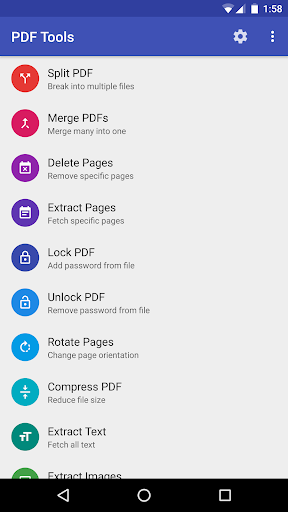
A premium suite of 14 tools and utilities to perform several operations on PDF files.
Tools in LITE version:
• CREATE – Create PDFs from text or html files.
• SPLIT – Split a PDF file into multiple documents.
• MERGE – Merge many PDFs into a single document.
• EXTRACT PAGES – Extract specific pages from a PDF file.
• DELETE PAGES – Delete specific pages from a PDF file.
• ROTATE PAGES – Rotate pages from portrait to landscape or vice-versa (90°, 180°, 270° Clockwise)
Tools in PRO version:
• LOCK – Add password to a PDF file.
• UNLOCK – Remove password from a protected PDF file.
• IMAGES TO PDF – Create a PDF from images. Goto gallery, select images and share with “Images to PDF”.
• PDF TO IMAGES – Save each PDF page as an image.
• EXTRACT IMAGES – Extract images from all or specific pages of the PDF.
• EXTRACT TEXT – Extract text from all or specific pages of the PDF into a text file.
• ADD WATERMARKS – Add text or image watermarks, headers, footers and even page numbers.
• COMPRESS SIZE – Compress and reduce size of PDF documents.
  • Perform operations on password protected(encrypted) files by setting password in each tool’s menu.
  • Select PDF files via file explorer or let the app scan and list all documents in your device.
  • Ability to change output folder for generated files.
  • Open or Share the output files straightaway.
Kindly go through Help topics to understand the basic inputs and terminologies before using the application!
Please try the LITE version before you buy PRO!
For queries, suggestions or to report bugs please drop a mail atashkapy@gmail.com
What’s New
Access to sdcard now standardized and works across all devices.
External sdcard support removed.
Updated storage permissions for Android 6.0
Watermark related bugs and crashes fixed.
Other minor bug fixes.
How to Install?
  1. Download Apk (link below).
  2. On your Android device, go to settings > security > allow unknown sources.
  3. Find downloaded APK on your phone and install it.
  4. All Done. Enjoy!
Screenshots
yFnpL52z97P9hcwdP0M74gfiNLVNEPKGdUeptJws
Download Links
PDF Tools | Mirror (Version 3.2)
PDF Tools | Mirror (Version 3.0)

Advanced Tools Pro v1.99.1 build 45

Advanced Tools Pro v1.99.1 build 45


Advanced Tools Pro
A complete set of tools to manage your device, Advanced Tools is: file manager, task manager, apk manager, system manager and now much more with new device-related tools (sensors, gps, flashlight).
Even more options and features available for root users.
Features 
  • FILE MANAGER
  1. Operate on (up to) four different tabs
  2. File operations between tabs (no need to navigate back!)
  3. Access/modify RO folders, system, data, etc.
  4. Copy, cut, paste, delete, rename files or folders
  5. Add new folders
  6. Add new text files
  7. Integrated mini text editor
  8. Search files or folders
  9. Get file or folder details
  10. Set file or folder permissions
  11. Zip/unzip files or whole folders
  12. Browse zip file’s contents
  13. Unzip selected contents from a zip file
  14. Send files via bluetooth
  15. Share supported files
  16. Storage info with pie charts
  17. Set starting folders (shortcuts)
  18. FTP: download/upload files or whole folders
  19. FTP: browse FTP contents, add new folders
  • SYSTEM MANAGER
  1. Plenty of info about system, memory, graphic, hw, battery
  2. Change LCD density
  3. Change the heap size
  4. Change “max events per second” value
  5. Change the WiFi scan interval
  6. more properties from build.prop file
  7. Change “min free kbytes” value
  8. Change “vfs cache pressure” value
  9. Change swappiness value
  10. Change dirty ratio and dirty background ratio
  11. more kernel’s VM and sysctl parameters
  12. Configure Android’s internal task killer
  13. Access special settings and info
  14. View filesystem
  15. View dmesg (Kernel Debug Messages)
  16. View live logcat
  17. Record, filter, stop, resume logcat
  18. Detect CarrierIQ
  • TASK MANAGER
  1. Kill selected applications
  2. Filter system processes (security options)
  3. Info about running services
  • APK MANAGER
  1. Detailed info about each installed application
  2. Uninstall apps
  3. Freeze system apps
  4. Uninstall system apps
  5. Backup and restore apps
  6. Clear app cache/data
  7. Startup apps (grant/deny auto-start)
  8. Manage app components! (Pro only)
  9. View content of manifest file (Pro only)
  • ATOOLS TERMINAL (Pro only)
  1. Pseudo terminal emulator
  2. Execute linux commands
  3. Quick buttons for mount and set permissions
  • SENSOR ANALYZER
  1. Scan and analyze all the sensors installed
  2. Compass tool
  3. Compass calibration tool
  4. Magnetic field detector
  • GPS STATUS AND FIX
  1. Get all the info passed by GPS device
  2. Fast fix tool to get signal fixed in less time
  3. Scan satellites and get dedicated info
  4. Get your current location’s address
  • CPU MONITOR
  1. CPU Time in State monitor
  2. Real-time CPU meter
  3. Set CPU scaling frequencies and governor
  • OTHERS
  1. Quick launch from notification bar
  2. Use the camera flashlight as a torch
How to Install?
  1. Download and install apk file as usual
  2. Done and Enjoy! 😀
Screenshots

Download
Advanced Tools Pro v1.99.1 build 45 | Mirror (3 MB)

Apps2SD Pro: [All in One Tool Root] v8.7

Apps2SD Pro: [All in One Tool Root] v8.7

DOWNLOAD NOWFor Android

Apps2SD Pro: All in One Tool 
Please do not download or give low rating if you don’t have ROOT access or External SD card. Before using the tool take a full backup. Apps2SD will not be responsible for any data loss or damage to your phone.
The increasing need to add more apps to your phone leaves you with less memory and decreased performance.
Apps2SD Prerequisites
• Device needs to be rooted
• Root permission should be granted to Apps2SD
• 2 partitions on external SD card (use inbuilt partition tool to create 2nd partition).
• Busybox
Features 
• Swap manager
• SD card booster
• SD card speed tester
• Folder mount feature
• Folder link feature
• Partition the SD card. Create 3 partitions on your SD card using inbuilt partition tool.
 • Link apk, odex, dex, lib, and internal data of user/system apps to SD card.
• Link external data and obb folders of apps/games to SD card
• Uninstall system apps (remove bloat ware)
• Reinstall apps(non system apps)
• Move apps to SD card using native app2sd (force move if move to SD card is not supported by the app)
• Enable and Disable apps
• Convert user apps to system app and system apps to user app
• Integrate updated system apps with system
• Clear internal and external data and cache of apps
• Share Play Store link or the APK file of apps with other people
• Create shortcut of apps
• Automatically link newly installed apps (optional)
• Batch link, unlink, reinstall, enable, disable, convert, integrate, clear data, clear cache, uninstall, move to SD, move to phone, create shortcut and many more useful functions
• List applications, show detailed size information and link status
• Sort and filter apps/games by many attributes
• Search applications by name
• Create mount script for SD card’s 2nd partition
• Relink all library files
• Relink all dalvik-cache (.dex) files
• Rebind all external folders
• Link all dalvik-cache (.dex) files
• Clear all dalvik-cache (.dex) files
• Added init.d support for mount script
• Clear orphan data and lib feature
• remount 2nd partition feature
• select all in multi select option
• ext2, ext3, ext4, exfat and f2fs support
• Support for 32 and 64 devices
How to install?
  1. Save the downloaded .apk on your android phone’s SD card
  2. Run and install it
  3. That’s it,Enjoy! :)
Screenshots


Download
Apps2SD Pro: [All in One Tool Root] v8.7 Cracked Apk   (11.5 MB) /Mirror

Speech to Text Translator TTS FULL v2.7.7

Speech to Text Translator TTS FULL v2.7.7

DOWNLOAD NOWFor Android

Speech to Text Translator
Speech to Text Translator translates your speech in real-time so that you can speak with people with different languages all around the world. Speech to Text Translator TTS is a funny and user-friendly speech recognition, text to speech (TTS) and an instant live translator application, which allows you to take notes easily by speaking. You can copy translation of these notes to clipboard and listen. You can send and share these notes with e-mail, SMS, social media and various instant messaging applications such as WhatsApp, Viber, Skype and vs. You can also search these notes on the web. Speech to Text, Text to Speech (TTS) and instant translation features are all in one application ! Speak, translate, listen, send and search using Speech to Text Translator TTS ! You can also use this software for language education. You can learn to speak all languages. Enjoy Speech to Text Translator TTS !
FOR AD-FREE FULL VERSION, PLEASE PURCHASE THE PRO VERSION FROM GOOGLE PLAY BY CLICKING THE LINK WITHIN THE APP. YOU WON’T GET ANY ADVERTISEMENTS ANYMORE AFTER INSTALLING THE (AD-FREE + FULL) PRO VERSION FROM GOOGLE PLAY.
This program requires active internet connection.
Supported Languages
English, French, Spanish, Italian, Arabic, Bulgarian, Catalan, Danish, Greek, Estonian, Persian chandani, Finnish, Hebrew, Hindi, Hungarian, Indonesian, Japanese, Haitian, Korean, Lithuanian, Latvian, malay, Norwegian, Polish, Portuguese, Romanian, Danish, Russian, Slovak, Slovenian, Thai, Turkish, Ukrainian, Urdu, Vietnamese, Chinese.
Instructions
  1. Download and install the APK given below
  2. Done
Screenshot

Downloads
Speech to Text Translator TTS FULL v2.7.7 (2.1 Mb) | Mirror